Project Holmes
About the project
Project Holmes proposed to deliver a new histology lab instrument and software, aimed to improve efficiency and visibility over patient tissue sample tracking as they progressed through the many stages of a histology lab workflow.
My role in the project was to deliver a UX and UI solution for the physical instrument's built-in iOS mobile application and connected desktop PC software application.
To do this, I led the end-to-end UX and UI design process for the project, including facilitating initial discovery workshops through to final screen and design system and development handover.
Involvement
Outcome
Discovery
User journey mapping
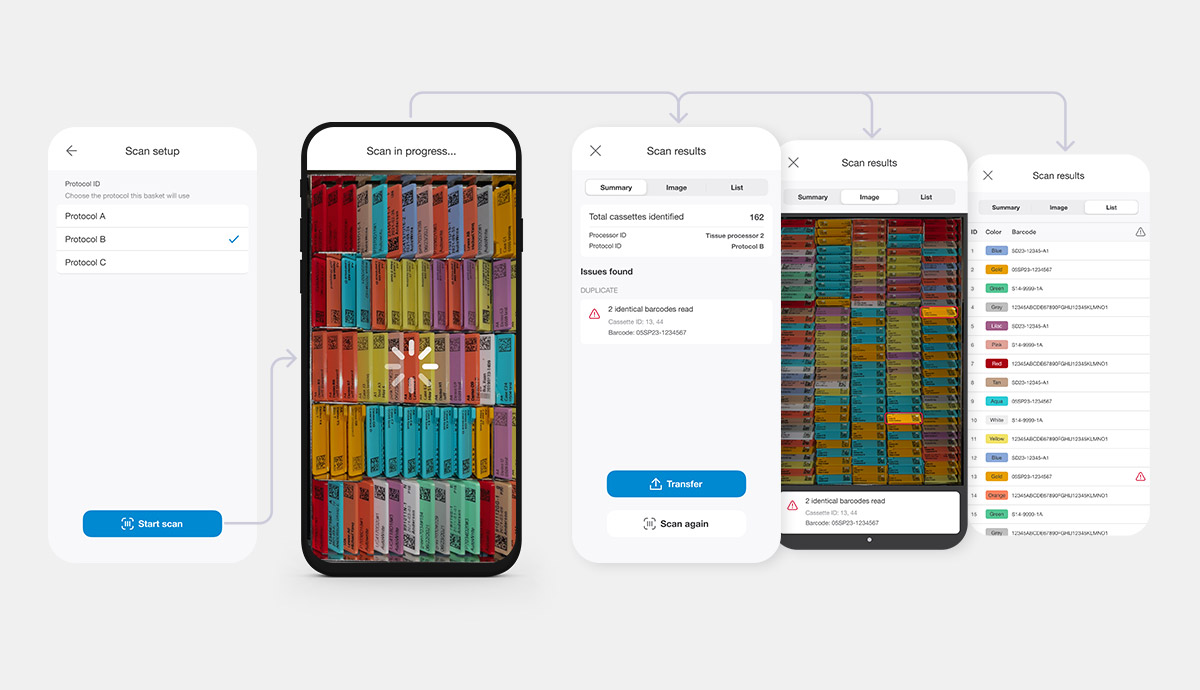
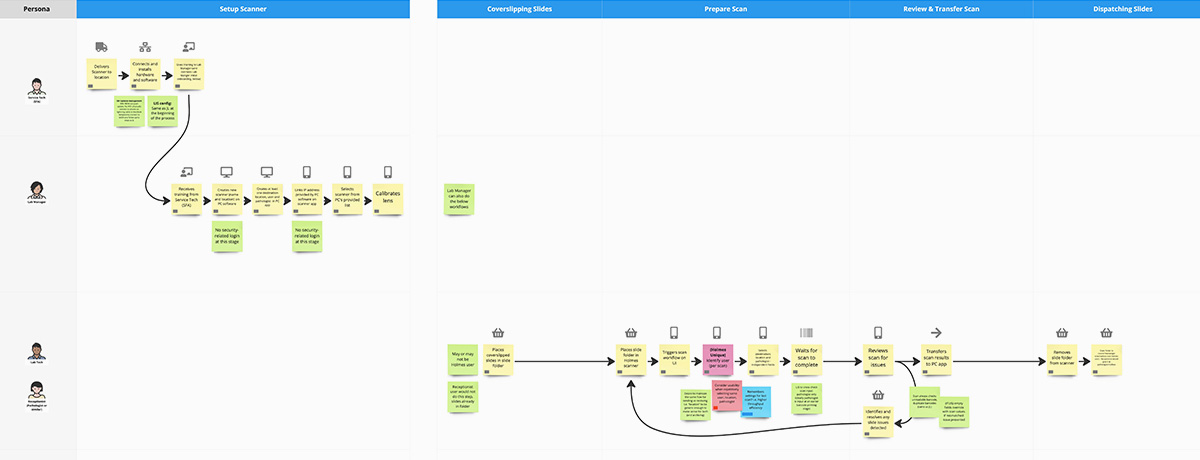
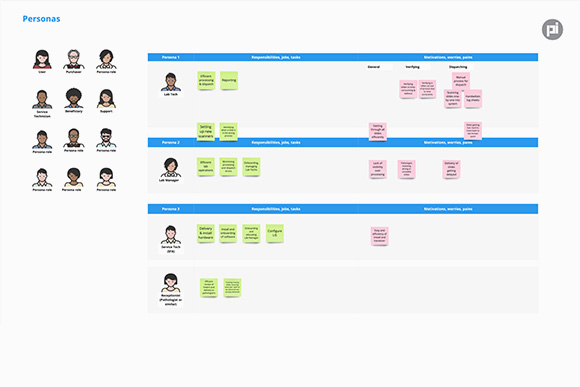
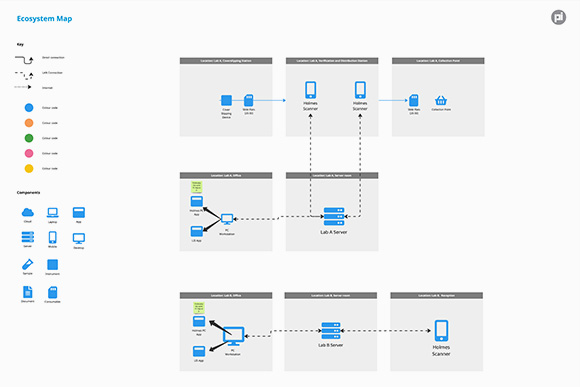
To align the internal team and external stakeholders on project, user and technology goals and requirements, I facilitated a discovery workshop while producing (in tandem) user personas, user journey maps and technology ecosystem maps with the software lead to visualise and understand the proposed user workflows that would inform the upcoming software release planning and initial design concepts. This exercise also raised, and answered key questions, and validated and challenged initial assumptions with the client.
Workflows and interactions
Information architecture
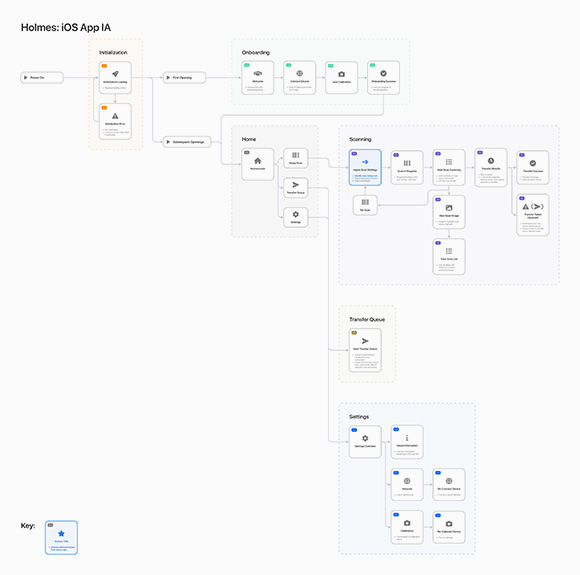
I created an information architecture (IA) diagram to visually summarise the story map requirements into dedicated screens, documenting their relative positioning, grouping and nesting within the product.
This provided opportunity to identify and critique necessary screens and functionality with stakeholders and provide a concise visual illustration of what screens would be designed in each design sprint.
Wireframing
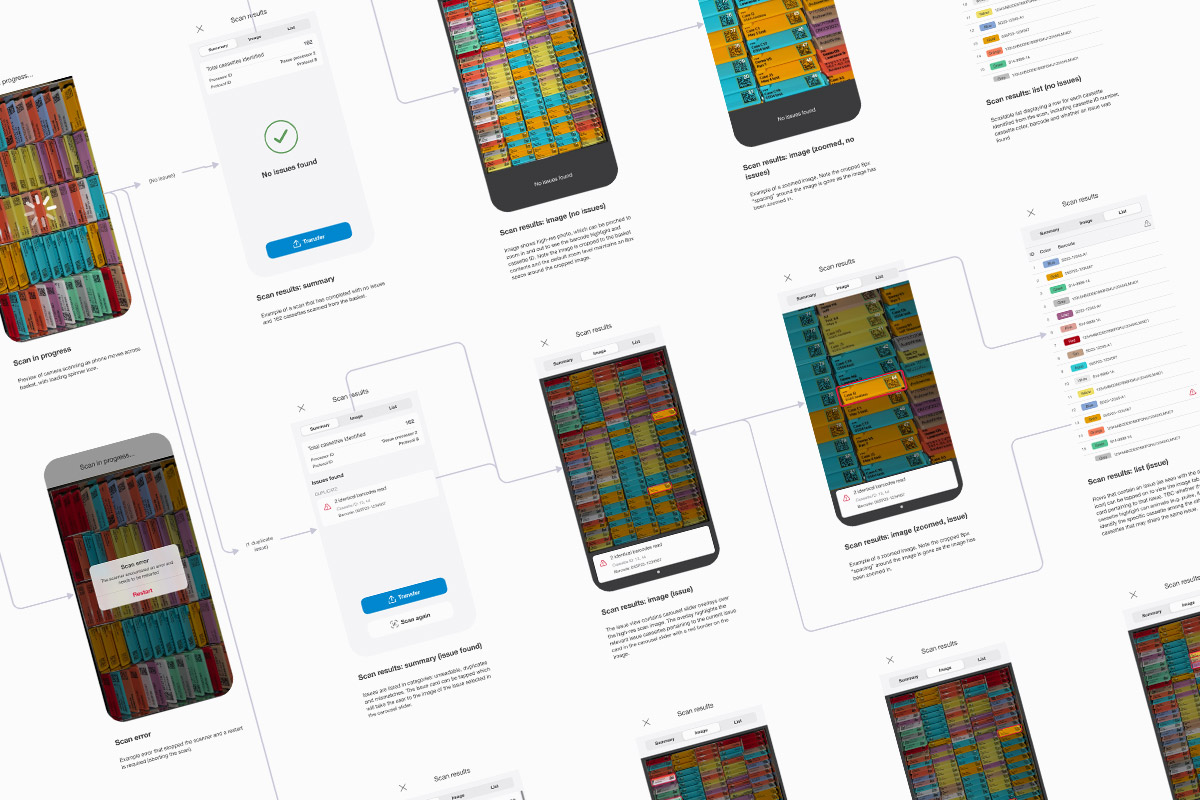
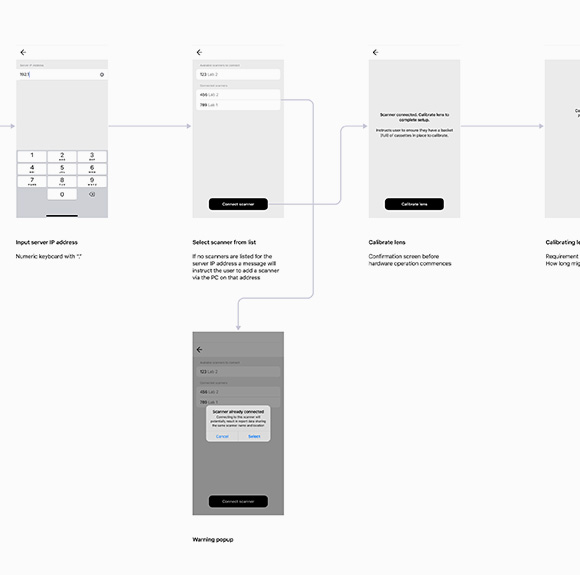
Once the teams had alignment on the IA, I created wireframes in Figma to illustrate user interactions, software functionality, and align on number of screens and steps in each workflow. Granular questions and assumptions were captured and discussed with relevant stakeholders and scrutinised against project and user requirements as well as development sprint budgets to ensure feasibility.
Design delivery
UI screen mockups
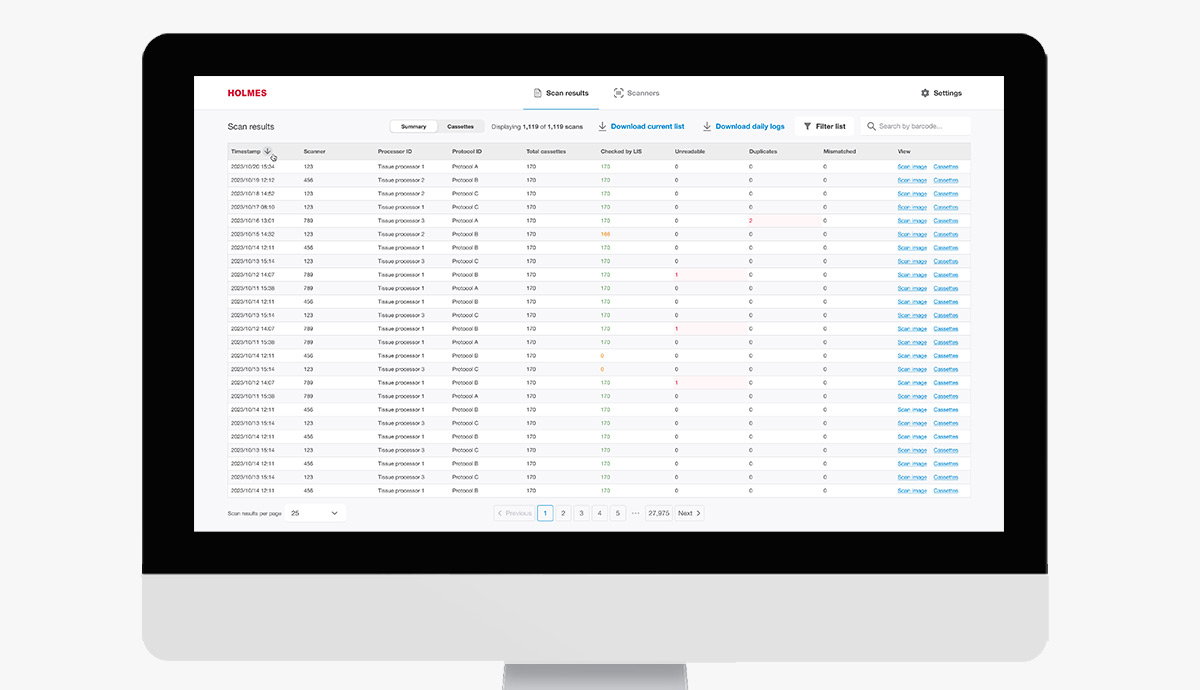
After the wireframes were signed off internally and externally I created high fidelity UI designs for each screen of the product. Each screen was delivered based on sprint priorities, covering different permutations and situations that altered the appearance of the screen depending on the situation.
Some key challenges I addressed throughout designing the UI was to ensure complex workflows were as simple and intuitive as possible, and touch-points and interactivity was suitable for a lab environment.
Design system
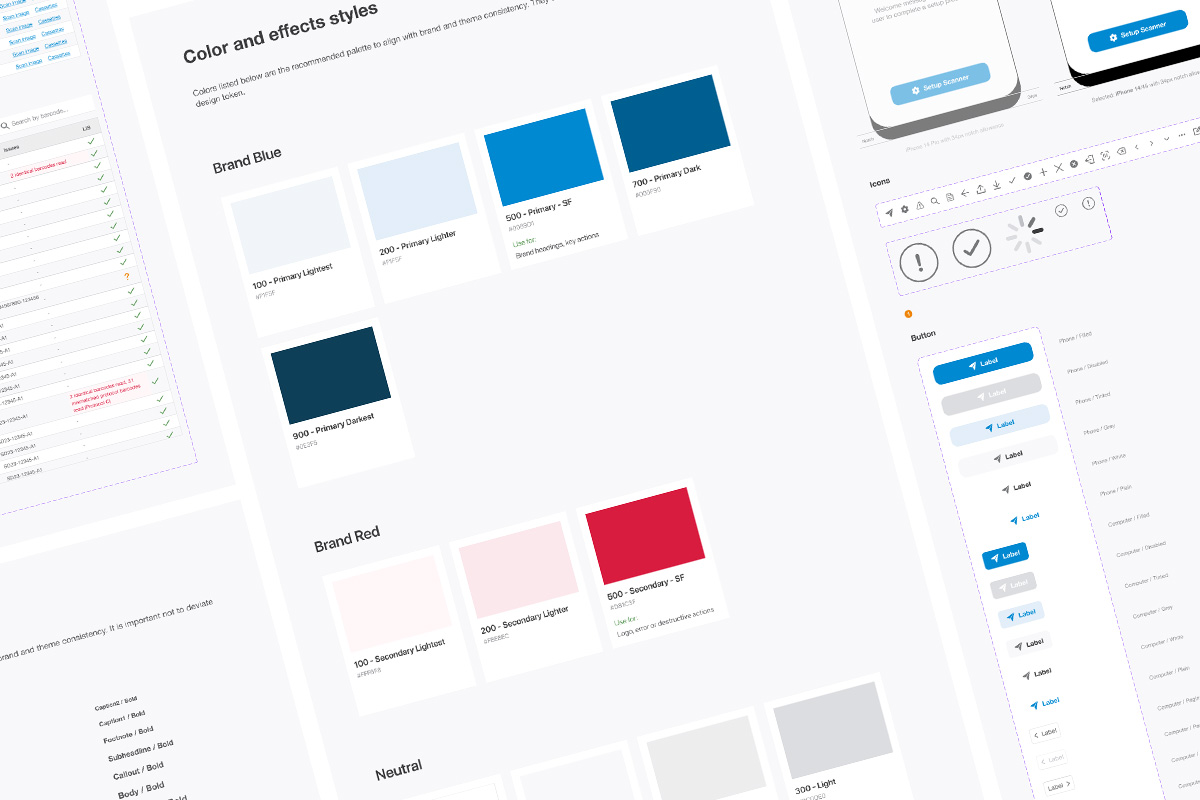
I delivered a design system alongside the finished UI screens to aid in the development process through creation of css styling rules and repeatable UI element patterns such as tables, charts, tabs and form elements.
This would also enable future iterations and scaling of the product through the development team to ensure consistency and quality was maintained without a dedicated UX/UI design resource available.