Project Gidget
About the project
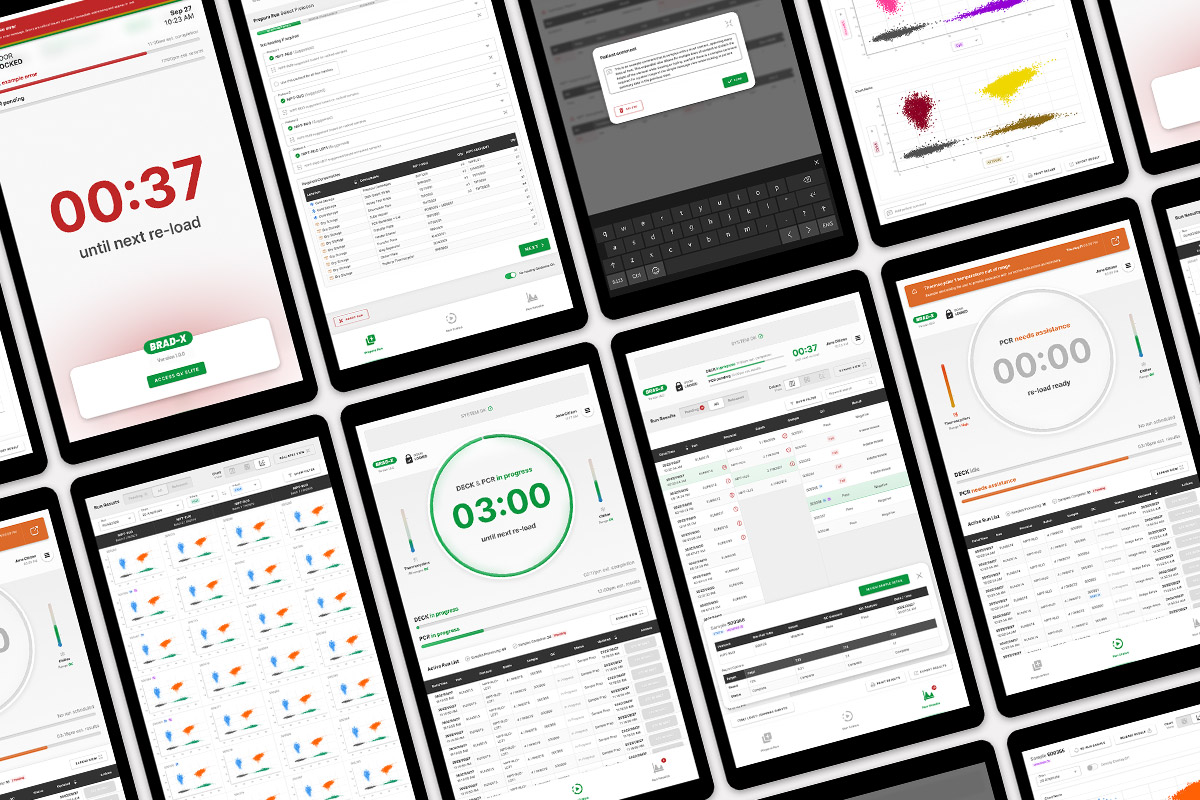
The goal of Project BRAD-X was to create a comprehensive touchscreen digital experience for a new digital PCR instrument for use in lab environments. It would need to cover end-to-end tasks and workflows for the instrument, including setup of tests, monitoring, as well as results.
The digital experience was designed in tandem with the physical instrument, requiring my collaboration with a range of other disciplines, including key deliverables that I led ranging from facilitating initial discovery workshops through to final design system and development handover.
Involvement
Outcome
-Pre.jpg)
.jpg)
Discovery
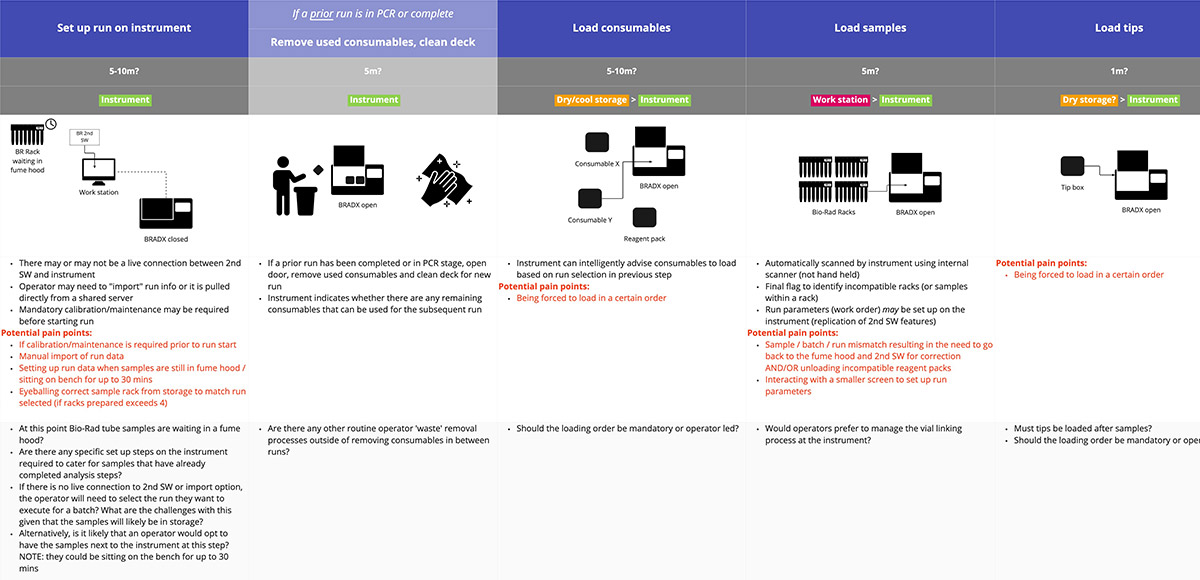
User journey mapping
To align the internal team and external stakeholders on user goals, pain points and environmental contexts such as time and location, the experience design lead and I facilitated workshops and produced user journey maps to visualise and understand the proposed new user workflows. This raised, and answered key questions, and validated and challenged assumptions.
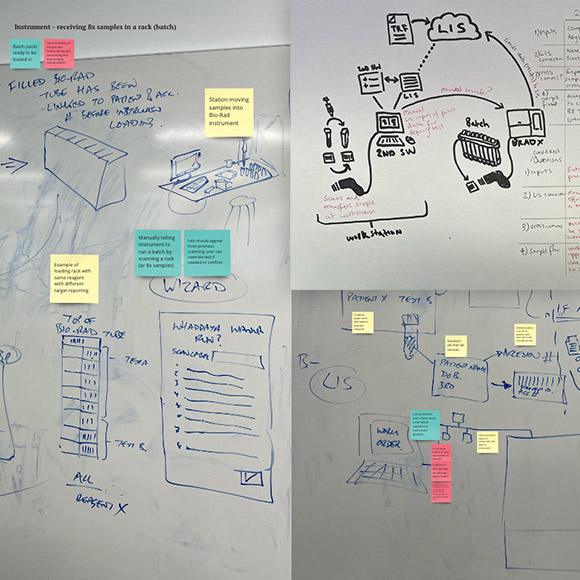
System architecture
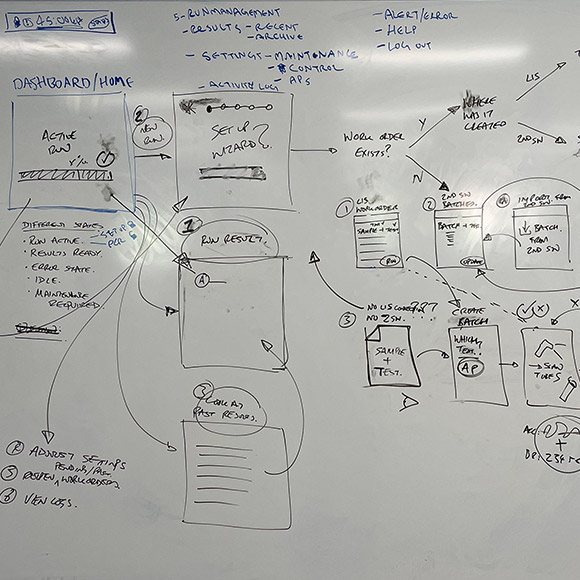
A key deliverable to verify instrument software responsibilities was white-boarding and digitally illustrating the system architecture to clarify boundaries of the instrument as well as inputs and outputs of the user workflows. I and the experience design lead would often map these out during initial conversations to clarify and contextualise technical subject matter.
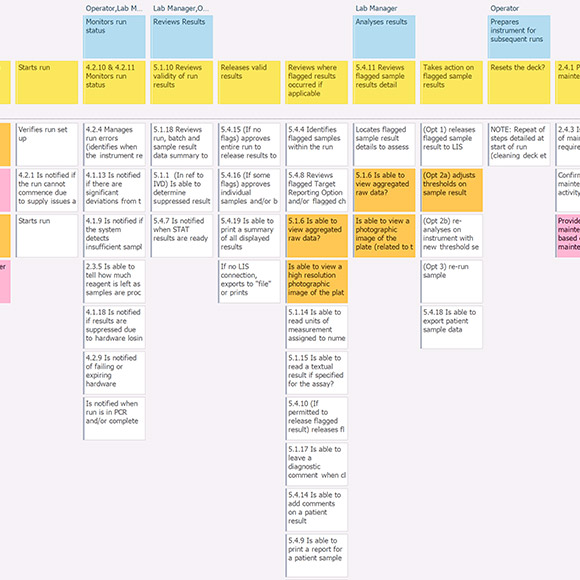
Story mapping
An initial story map of the instrument software was drafted by myself and the experience design lead to verify with the client and development team what functionality, and software tasks were to be included, and in what release of the instrument. This was refined over time in conjunction with a software requirement document to aid in design delivery sprint planning.
Workflows and interactions
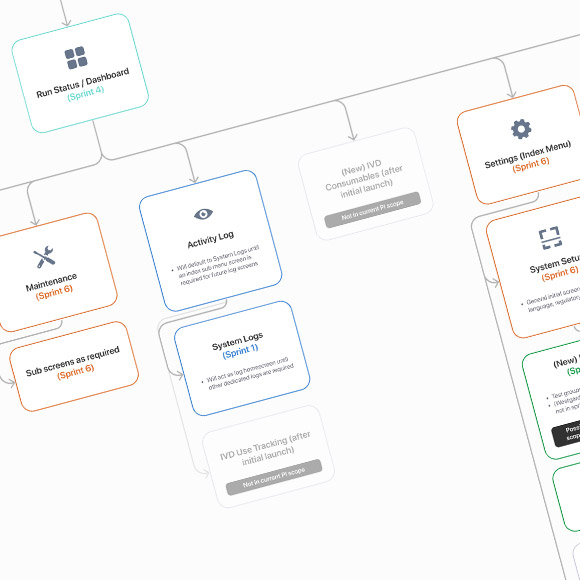
Information architecture
I created an information architecture diagram to visually summarise the story map requirements into dedicated screens and their relative positioning, grouping and nesting within the product. This provided opportunity to identify and critique necessary screens and functionality with stakeholders and provide a concise visual illustration of what screens would be designed in each design sprint. The information architecture also provided direction into future hierarchy and navigation opportunities.
Wireframing
After sketching low fidelity wireframes of workflow screens, we were able to identify key screens that contained potential user experience risks: either through complex functionality, or heavy data and content requirements. I translated these into higher fidelity wireframes in Figma for feedback and to support upcoming user testing.
Prototyping and testing
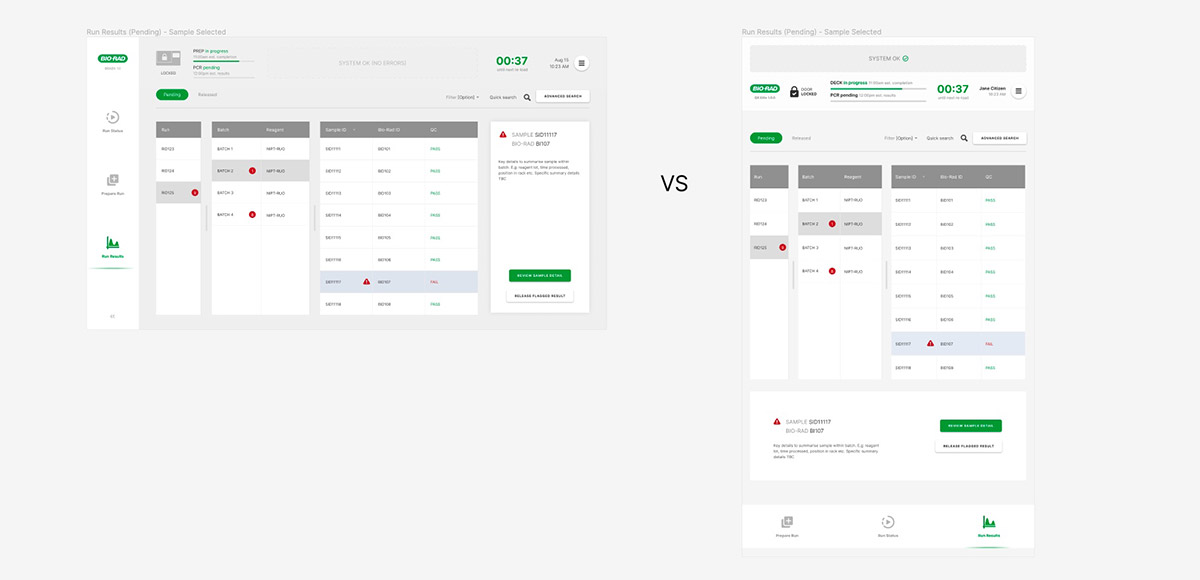
A key question the client wanted our help answering was: "what orientation of touchscreen provides the best UX? for the instrument" to answer this we proposed testing interactive prototypes of wireframes in both orientations for key workflows. I produced identical interactive prototypes in both landscape and portrait orientation and the client tested both with the target audience in a simulated environment. The portrait orientation was the clear standout from the testing results, despite assumptions the traditional landscape would be preferred by users.
Design delivery
UI screen mockups and prototypes
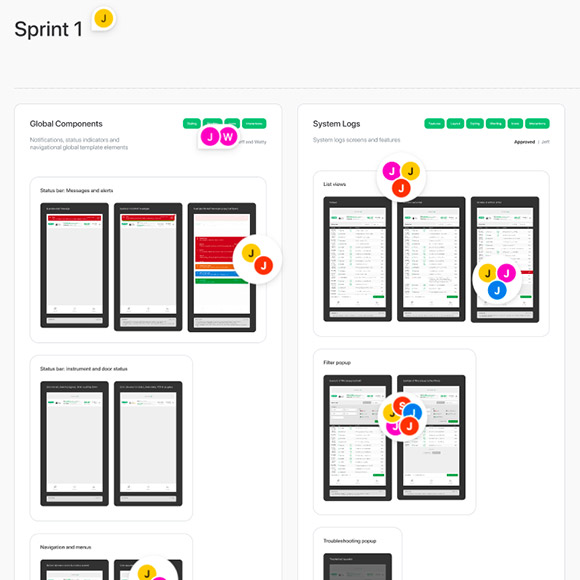
I worked with the client-side development team to deliver high fidelity, polished UI for each screen of the product. Each screen was delivered based on sprint priorities, covering different permutations and situations that altered the appearance of the screen depending on the situation.
Some key challenges I addressed throughout designing the UI was to ensure complex workflows were as simple and intuitive as possible, and touch-points and interactivity was suitable for a lab environment where users would be wearing gloves, and facing other environmental challenges.
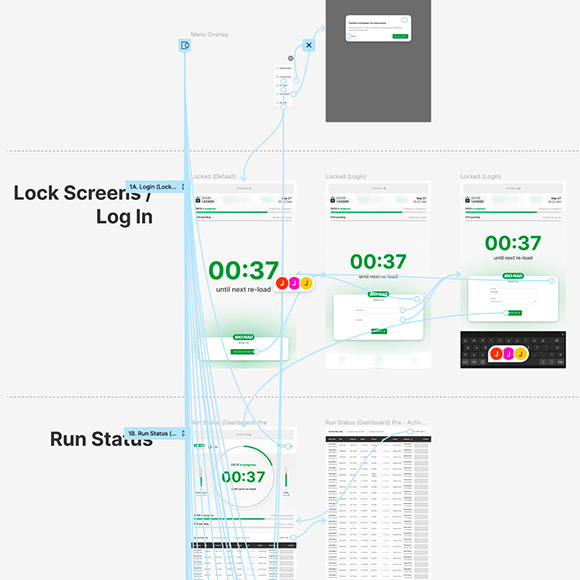
Each design sprint I created interactive prototypes of relevant screens addressing different user situations and how users would experience the product depending on the situation. These prototypes were highly valuable in visually communicating workflows and gaining client and user feedback.
Design system
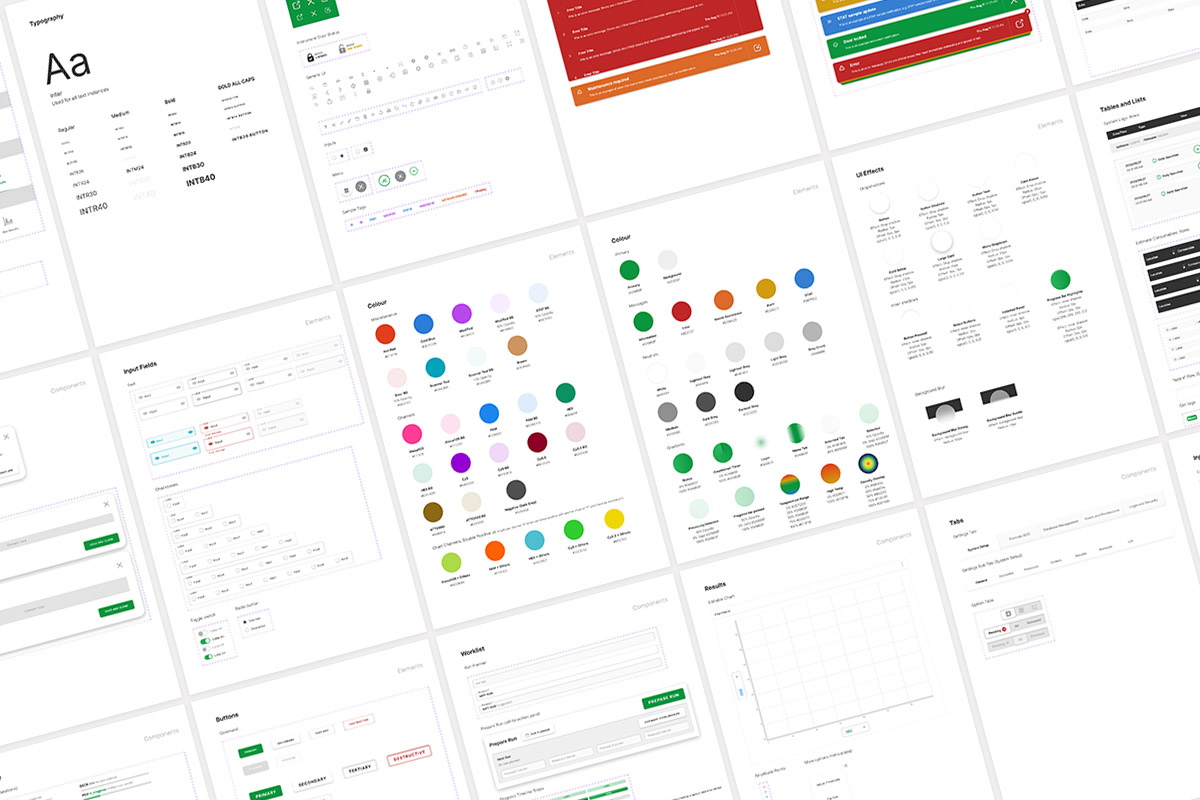
I delivered a design system alongside the finished UI screens to aid in the development process through creation of css styling rules and repeatable UI element patterns such as tables, charts, tabs and form elements.
This would also enable future iterations and scaling of the product through the development team to ensure consistency and quality was maintained without a dedicated UX/UI design resource available.